How to Sign a PDF with Your Finger on Mobile (Without a Digital Certificate)
It is 9:30pm on a Sunday. You just got a WhatsApp with the lease contract for the apartment you have been chasing for weeks. The landlord needs the signed PDF tonight because tomorrow there are two other people interested. You do not have a printer, you do not have a scanner, and the last time you tried to install the FNMT digital certificate on your phone it took you two hours and you gave up.
This situation happens all the time in Spain. You need to sign something urgent, but the official tools seem designed to make you give up. AutoFirma only runs on computers. The digital certificate requires going to a Correos office in person. Electronic signature apps charge 15€/month by subscription.
The solution is free and already exists: sign with your finger directly on the PDF from your phone. This guide shows you how to do it, when it is legally valid, and why you do not need a digital certificate for most everyday tasks.
The Myth of the Mandatory Digital Certificate
There is a widespread belief that to sign any digital document you need the FNMT digital certificate or the Spanish electronic ID card with a card reader. This confusion makes many people give up on urgent opportunities, print documents to sign them by hand and then scan them (a 15-minute process vs 30 seconds), or pay for urgent courier services to deliver physical paper.
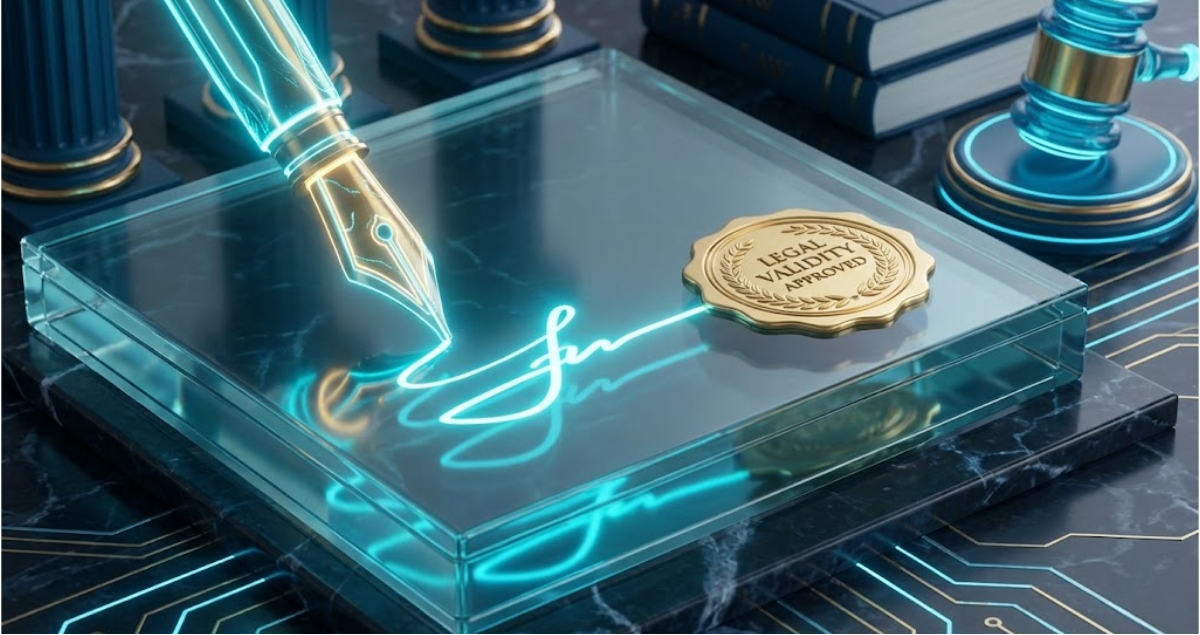
The legal reality is different. European regulations define three levels of electronic signature with different validity. Your handwritten signature captured on the screen is a simple electronic signature, and it is fully legal for:
- Private contracts (rental, sales between individuals)
- School and medical authorizations
- Commercial consents
- Internal acknowledgements of receipt
It is NOT valid for:
- Notarial public deeds
- Procedures with the Tax Agency or Social Security
- Property Registry
- Legal powers of attorney
For those cases you do need a qualified signature with a digital certificate. But they are a minority of the documents you sign day to day.
"An electronic signature shall not be denied legal effect solely on the grounds that it is in electronic form or that it does not meet the requirements for qualified electronic signatures."
- Spanish law on electronic trust services
The AutoFirma Hell
AutoFirma is the official Spanish government app for qualified electronic signatures. The typical install flow:
- Download it from the e-government portal (the URL changes every year)
- Install Java Runtime (300 MB download)
- Set up security exceptions in the browser
- Install the digital certificate (requires going in person or video-identification)
- Install electronic ID card reader drivers (only works with specific models)
- Restart the computer three times
The drop-off rate is very high according to usability studies of public administrations. For most everyday procedures, a digitized handwritten signature is legally enough and technically better.
How Finger Signing Works Technically
When you sign with your finger on a touch screen, three technologies work together to capture your handwritten signature:
HTML5 Canvas API is the digital canvas you draw on. Every screen touch produces X,Y coordinates that are recorded 60 times per second. It does not store a static image: it stores mathematical vectors of your stroke. That is why the signature can be scaled without pixelating.
Touch Events capture the pressure, speed and angle of your finger. Modern devices record 240 pressure levels. This tells a real signature apart from a copied image: your real signature has natural thickness variations.
pdf-lib is the JavaScript library that inserts your signature into the PDF without re-encoding the whole document. It opens the existing PDF, creates a new Image object with your signature, and adds it to the chosen page while keeping the original layer.
This process happens 100% in your browser. No server receives your files. Your PDF never leaves your device.
Why Your Digital Signature Does Not Look Pixelated
Signatures captured by low-quality apps look like they were drawn with a fat marker. That happens because they store bitmap (a fixed-pixel image) instead of vector (mathematical strokes).
The professional technique uses Bézier curves. Every stroke of your signature is turned into a mathematical equation connecting control points. If you captured 60 points per second and signed for 2 seconds, you have 120 vector points that can be scaled infinitely without losing quality.
// Simplified pseudocode for signature capture
canvas.addEventListener('touchmove', (e) => {
  const point = {
    x: e.touches[0].clientX,
    y: e.touches[0].clientY,
    pressure: e.touches[0].force || 0.5,
    timestamp: Date.now()
  };

  // Smoothing with quadratic Bézier curve
  if (points.length >= 2) {
    const p1 = points[points.length - 2];
    const p2 = points[points.length - 1];
    context.quadraticCurveTo(p1.x, p1.y,
      (p1.x + point.x) / 2,
      (p1.y + point.y) / 2
    );
  }

  points.push(point);
});
Step-by-Step Tutorial: Sign a PDF in 30 Seconds
Getting ready
You need a smartphone or tablet with a touch screen. You do not need to install any app: everything runs in the browser. The PDF can be on your phone, on WhatsApp, in email, or in the cloud. Recommended maximum size: 25 MB.
Full process
- Open the browser on your phone and go to DoctVault Sign PDF
- Tap "Select PDF" and pick the file from your phone
- The PDF will appear on screen. Navigate to the page you need to sign
- Tap the "Add signature" button (pen icon)
- A window opens with a blank canvas. Sign with your finger the same way you would sign on paper
- If you do not like it, tap "Clear" and sign again. When you are happy, tap "Apply signature"
- Your signature appears on the PDF. Drag to move it, pinch to resize
- Tap "Download signed PDF"
The file downloads automatically. Share it straight over WhatsApp, email, or save it on your phone.
Real use cases
Rental contracts: the landlord needs confirmation that you accept the terms. Your digitized handwritten signature is enough according to Supreme Court case law.
School authorizations: schools ask for parental consent for field trips, school photos or medical treatment. Most accept a digitized signature.
Quotes and delivery notes: companies use PDF signatures to confirm quote acceptance or goods received. Fully legal under the Commercial Code.
Internal company documents: payslip acknowledgements, internal policy acceptance, holiday requests. No law requires a digital certificate for private employment relationships.
Privacy as a Technical Advantage
Traditional electronic signature apps work in the cloud model: you upload your PDF to their servers, they add the signature, and they send you back the signed file. Your private contracts pass through third-party computers.
WebAssembly-based tools like DoctVault process everything in your browser. Your PDF is loaded into local RAM, processed with native JavaScript, and downloaded directly. The web server never sees your files.
Processing model comparison
| Aspect | Cloud Apps | Client-Side |
|---|---|---|
| Transfer | Upload 2-5 MB + Download 2-5 MB | 0 bytes transferred |
| Time | 10-15 seconds | 2-3 seconds |
| Privacy | Your documents on AWS/Google | Only in your RAM |
| Offline | ❌ Does not work | ✅ Works |
International Legal Validity
European electronic identification regulations apply in the 27 countries of the European Union. A simple electronic signature has mutual recognition: if you sign a contract with a German company using a digitized signature, Germany must accept it with the same validity as Spain.
The United States has similar legislation with the ESIGN Act and UETA. Canada applies PIPEDA. Latin America: Mexico recognizes simple electronic signatures in its Commercial Code, and Argentina and Colombia in their respective legal frameworks.
When you CANNOT use a digitized handwritten signature
European regulations set out exceptions where a qualified signature is mandatory:
- Real estate purchase and sale
- Mortgage setup
- Notarial powers of attorney
- Heir declarations
- Incorporation of commercial companies
- Mortgage loans
- Prenuptial agreements
For everything else (rental contracts, employment, commercial contracts between companies, professional services, sale of movable goods, personal authorizations), a simple electronic signature is enough.
Common Mistakes When Signing PDFs on Mobile
Signing with the phone in portrait: a handwritten signature on paper is done with the document horizontal. On a vertical phone, your signature comes out shaky. Fix: rotate the phone to landscape before signing.
Using a cheap stylus: generic capacitive pens do not pass pressure variation. Your signature comes out with a uniform stroke. Fix: use a quality stylus (Apple Pencil, S-Pen) or sign directly with your finger.
Signing too slowly: when you sign on paper you do it in 1-2 seconds with a fast gesture. On a screen many users draw slowly. Fix: sign at real speed, with the same gesture you would use on paper.
Resizing after signing: signing small and then enlarging pixelates the stroke. Fix: sign at the size you actually need.
Not lining up with the signature line: the original PDF has a "Signature:______" line. Fix: place your signature right on that line for a professional look.
Alternatives for Special Cases
When you really do need a digital certificate
If you must sign a document for the Tax Agency, Social Security or an official administrative procedure, there is no alternative to the qualified digital certificate:
Cl@ve Firma is the Spanish official authentication system. It lets you sign with qualified validity using a password + an SMS code. Works on mobile and desktop. Limitation: it only works for procedures with public administrations.
Electronic ID card with an NFC reader lets you sign from modern phones with an NFC chip (iPhone XS onwards, most current Android phones). You need to activate the electronic ID in person at a National Police office.
FNMT digital certificate is the classic option. It requires an online request and a visit to a Correos office or a video call. Valid for 4 years, renewable.
Signing on a tablet with better quality
Tablets (iPad, Samsung Galaxy Tab) have larger screens that make natural signing easier: 10-12 inch surface, stylus support with 4096 pressure levels, and faster processing.
The Economics of Digital Signature
Companies specialized in electronic signatures charge between 10-40€ per user per month. This service makes sense for companies that sign hundreds of contracts a month under strict audit requirements.
For individuals or small businesses it is unnecessary: a private contract signed with a simple signature has the same legal validity as one signed with paid services, but the second one cost 15€.
The real price of a qualified electronic signature is zero: the FNMT digital certificate is free. What you pay for is convenience or saved time. Free simple-signature tools offer most of the functionality at no cost.
Frequently Asked Questions
Does a finger signature have the same legal validity as a paper signature?
Yes, for private contracts between individuals or companies. European and Spanish regulations establish that a simple electronic signature has legal effects admissible as evidence. Not valid for procedures with public administrations that require a qualified signature.
Do I need to install any app on my phone?
No. Modern tools work fully in the browser. You open the site, upload the PDF, sign and download. Nothing is left on your device after you close the tab.
Are my documents uploaded to any server?
It depends on the tool. Commercial cloud apps DO upload your PDFs. Client-side tools like DoctVault process everything locally: the PDF never leaves your device.
Can I sign the same document more than once?
Yes. You can add several signatures. Useful for contracts with several signers: the first person signs and sends, the second opens the PDF and adds their signature.
What if the other party does not accept my digitized signature?
Explain that it is legally valid under European regulations. If they insist on paper, you can print the digitally signed PDF: the printed copy shows your signature added to the document.
Can the signature be forged or copied?
Technically yes, just like any paper signature. The legal difference is context: in a court dispute, the chain of custody is analyzed (who sent the PDF, from which email, with what metadata). PDFs keep the modification date and forensic metadata.
Does it work the same on iPhone and Android?
Yes. Safari (iOS) and Chrome (Android) browsers implement Canvas API and Touch Events in a standard way. Basic functionality works on any smartphone from the last 8 years.
Does the signature look good when the signed PDF is printed?
Yes, because it is inserted as a high-resolution vector (minimum equivalent to 300 DPI). A digitally signed PDF printed on paper shows the signature with quality identical to a pen signature.
Conclusion: Smart Signing
The Spanish digital certificate is designed for a world that no longer exists: Windows XP offices, mandatory in-person procedures, and desktop computers. Today most documents are signed from mobile devices, and most of them are private contracts that do not require a qualified certificate.
The digitized handwritten signature with your finger is the pragmatic solution: legally valid for almost everything, technically better (instant, private, no installs), and economically efficient (free vs 15€/month subscriptions).
Tools like DoctVault make professional electronic signatures available to everyone: what used to cost 200€ a year in Adobe software is now free and works better. The client-side architecture guarantees absolute privacy because your documents never leave your device.
If you need to sign a PDF tonight from your phone, you already know it is legal, private, and takes 30 seconds. The digital certificate drama is obsolete for most real-world use cases.
Related tools at DoctVault:
Legal sources consulted:
Technologies mentioned:
Was this article helpful?
Share it and help more people manage their PDFs securely
Related Articles

How to Scan Both Sides of an ID Card on a Single PDF Page
Create a perfect A4 PDF of your ID without a scanner or Word.

The Dangers of Using Online PDF Converters
Your ID on third-party servers: real privacy risks.
Protect PDF: Watermark and Password
Add security layers to your sensitive documents.